

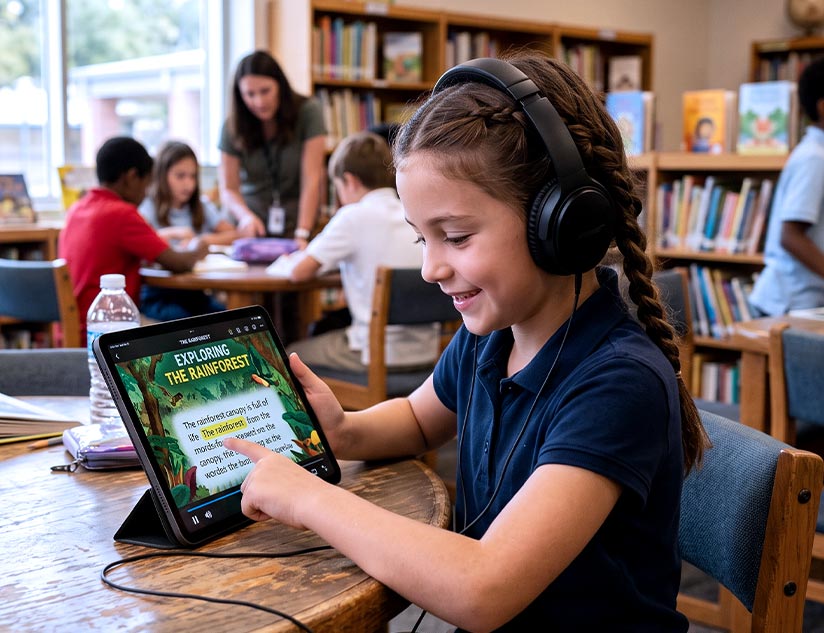
Accessibility is not a separate product line. Features, such as text-to-speech eBooks and offline access, should be built into K-12 publishing catalogs. These features must also be compatible across devices, irrespective of individual learning preferences and needs. An inclusive eBook platform is now a baseline for K-12 publishing, not a premium add-on.
Why Accessibility Belongs in the Catalog, Not a Side Product
As your platform goes global, the K-12 classrooms you cater to become increasingly diverse. You may have students with visual impairments, dyslexia, processing differences, and specific language learning needs. They can all benefit from accessibility features when those features are embedded directly into the eBook experience. That also means you do not have to create separate products for separate audiences.
Building accessibility into the catalog also reduces long-term cost and complexity. Retrofitting individual titles later, based on the need, requires additional development, testing, and production effort. Plus, when districts ask for proof of compliance or feature parity across titles, you won’t have a concrete standing. The approach where accessibility is the default translates into enhanced scalability and helps you meet school expectations without redesigning each book later.
What ReadSpeaker/Text-to-Speech Actually Does
Text-to-speech eBooks convert the text of the page being read to audio with a toggle button. This allows learners to listen while they read, if they choose to. For instance, MagicBox’s eReader has a ReadSpeaker which can read text aloud directly within the eBook experience. This makes content easier to follow for students who need support with fluency or comprehension. Such an embedded experience reduces friction because learners do not have to switch between separate apps or tools to access the resource in their preferred mode.
Also Read: Benefits of eReaders and ReadSpeakers for Inclusive Education
K-12 publishers need to remember that a text-to-speech eBook inherently accommodates special learning needs. Auditory learners can absorb information more comfortably, and language learners can improve pronunciation and comprehension by hearing the text read aloud. When text-to-speech eBooks for K-12 are built into the reading environment, the same title becomes more usable for a wider range of students.
Beyond TTS: Other Features That Make eBooks Inclusive
Text-to-speech is a key eBook feature, but it isn’t enough. True accessibility means several more features working together to deliver effortless and supportive learning experiences. For instance, highlighting, annotations and bookmarking help students stay organized and return to important sections as and when needed.
Customizable skins and themes can also help. Facilities to adjust contrast and font options reduce visual strain and support students with specific needs. Often underestimated, offline access is a huge part of accessible learning. This is because it addresses the need for students to continue learning even when internet connectivity is unreliable.
MagicBox’s eReader includes all these and many more features by default. These are not extra add-ons. Plus, it syncs tools across online and offline use to keep the learning experience consistent. That continuity is especially important in K-12 settings, where students move between home, school, and shared devices.
WCAG 2.1 and What “Compliant” Actually Means
WCAG 2.1 is the most important edtech standard that publishers cannot ignore. The core idea behind the guideline is that content should be perceivable, operable, understandable, and robust. This means eBooks must come with alt text for visuals, offer intuitive navigation, facilitate customizable contrast, and offer keyboard-friendly controls. The digital textbook must also be designed to seamlessly work with assistive technologies. Compliance is not just a checkbox; it is a practical framework for making content usable.
For K-12 publishers, WCAG eBook compliance needs to be embedded within the design and not laid over as an afterthought. This means eBook platforms must be designed with compliance in mind and accessibility as a driver. MagicBox’s WCAG 2.1 alignment supports this very paradigm: accessibility built in, not bolted on.
The Business Case: Accessibility as a Procurement Requirement
District RFPs are increasingly including accessibility criteria explicitly, which means that publishers who cannot provide evidence may lose opportunities before content quality is even considered. Your solution is sales-ready only if it is accessible.
Plus, accessible digital textbooks can serve more learners. This means you inherently widen the addressable audience without the overhead of creating multiple versions. This serves as a real commercial advantage in large district and state adoption cycles.
A Quick Self-Audit for Publishers
Here’s a quick checklist to evaluate whether your catalog is ready for K-12 expectations:
- Does the platform support text-to-speech eBooks directly inside the reader?
- Can students access content offline when connectivity is limited?
- Is navigation WCAG-compliant and usable with assistive technologies?
- Can learners customize display settings to their preferences?
- Do highlighting, notes, and bookmarks work consistently across devices and sessions?
If the answer to any of these is No, your catalog needs stronger accessibility planning.
Make Accessibility Your Leading Pitch
Accessibility features are now baseline catalog requirements for K-12 publishers. These are not reserved for a separate edition. Read-speaker accessibility, text-to-speech eBook support, offline access, and WCAG eBook compliance all work together to create more inclusive learning experiences. Speak to the experts at Magicbox to get the inclusivity edge with a highly accessible and easy-to-integrate eReader.