

Tag Manager and Tag Hierarchy are two connected features that let publishers organize assessment content with precision and give school admins a structured lens for reporting.
What Is Tag Manager?
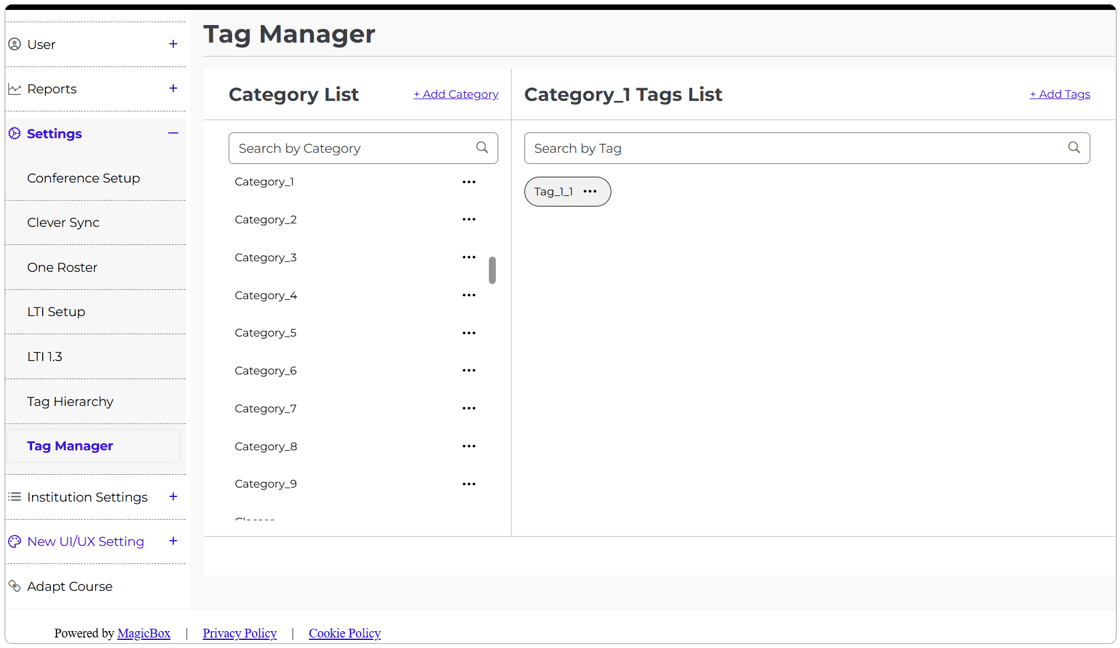
Tag Manager is where it all starts. It lets publishers create and structure categories and tags across the portal – the building blocks used to classify questions and assessments.
- Create categories (e.g., “27 Aug category”) and add tags underneath each one (e.g., “First tag”)
- Search and manage both categories and tags from a single, clean interface
- Every tag lives inside a category, keeping your taxonomy organized
What Is Tag Hierarchy?
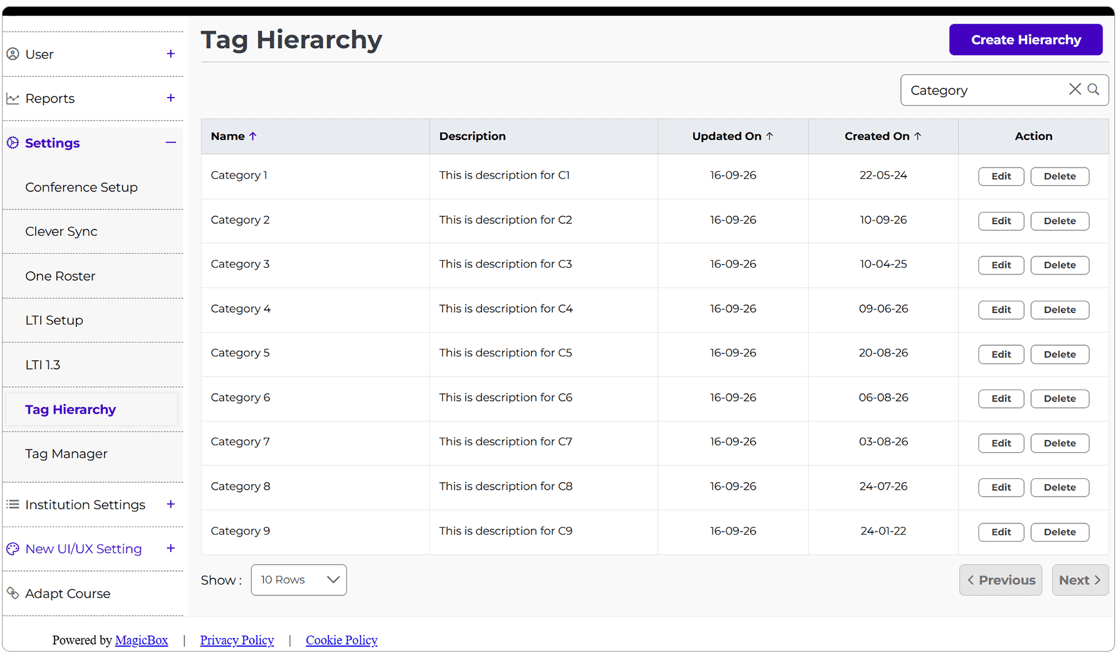
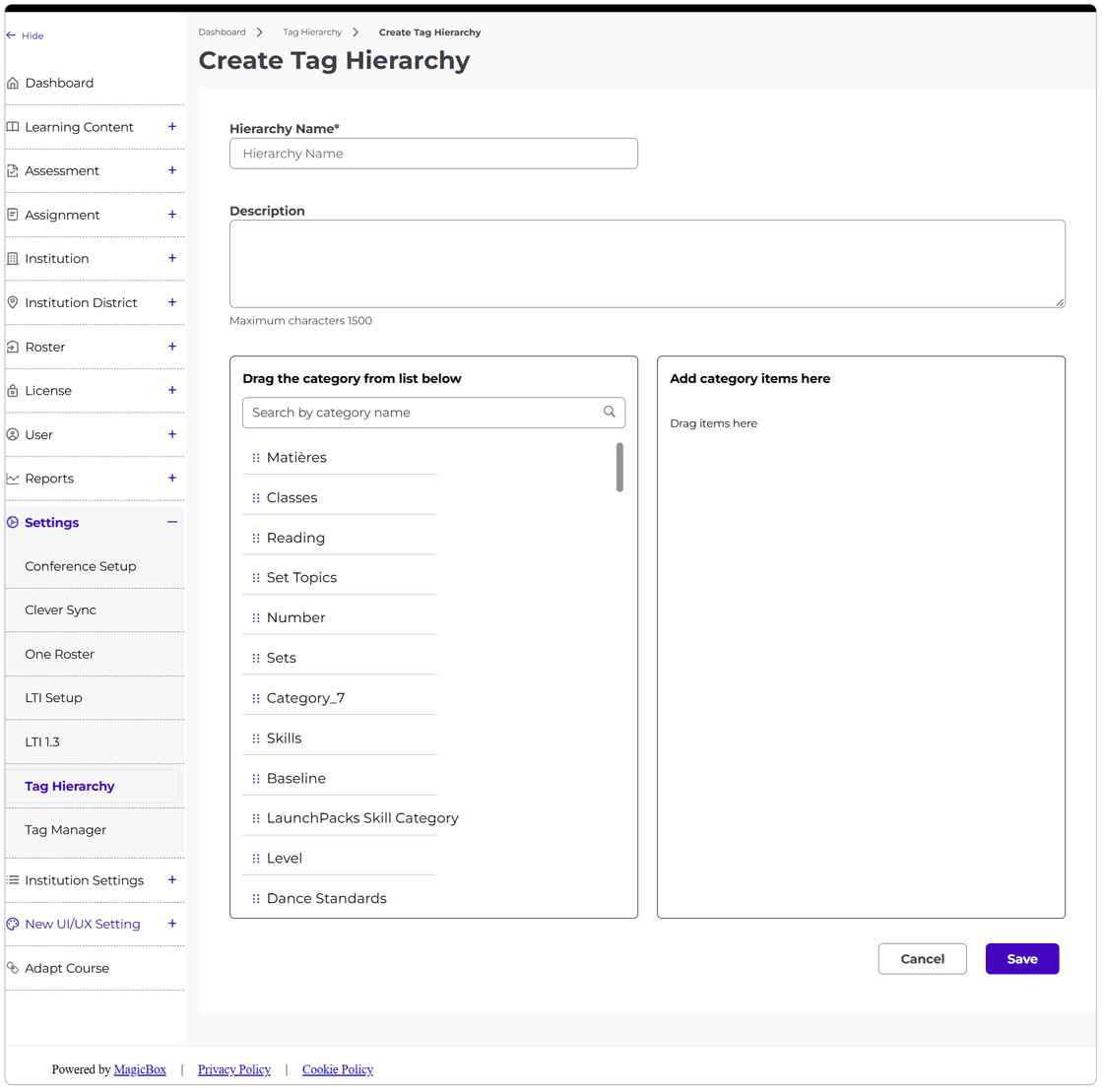
Once categories and tags exist, Tag Hierarchy lets you arrange them into structured, nested relationships turning a flat list of tags into a meaningful hierarchy that mirrors how your content is actually organized (think: subject → Chapter → topic).
- View, edit, or delete existing hierarchies from one page.
- Build a new hierarchy by dragging categories into place and naming your structure
- This hierarchy becomes the backbone for tag-based reporting
Tagging Questions In 3 Steps
Tags get attached at the question level, so the workflow fits naturally into question creation:
- Create or open a question (Assessment → Questions → New Question, e.g., a Single Type Question).
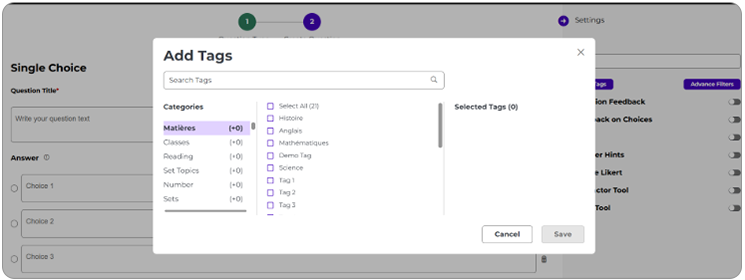
- Go to Settings → Search Tags → Browse, then search by tag or category name. For example, searching “March 26” and selecting the matching tag.
- Review your selections. Added tags appear at the bottom of the search box and can be removed anytime with the cross icon.
From there, teachers simply add these already-tagged questions into their assessments and assign them to students, no extra tagging step required on their end.
How Tag-Based Reporting Actually Works
This section describes what School Admins see when they run tag-based reports on their end; it’s not a view publishers access directly. Understanding how it behaves will help you set up tags and hierarchies that produce useful, accurate results for the admins and teachers who do rely on them:
- Tags connect to questions, not teachers. Teachers are never directly linked to a tag — the link runs through the questions they include in their assessments.
- Reports show tag categories, not teacher-tag links. When an admin pulls a tag-based report, it surfaces the tag categories tied to assessments not a list of “which teacher owns which tag.”
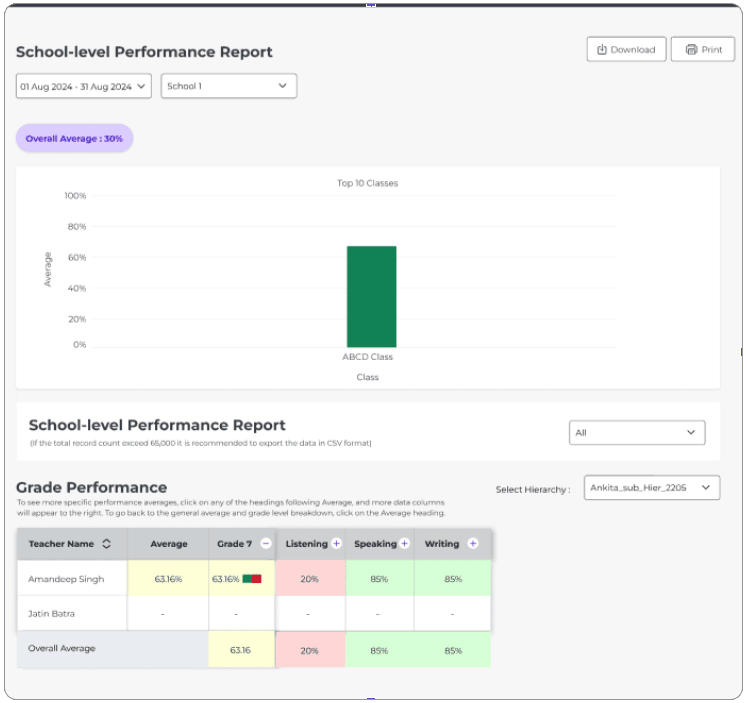
- School performance reports include every teacher at the school, regardless of grade level; the teacher list is never filtered down.
- Selecting a tag hierarchy compiles scores for that tag across all teachers in the school. Only teachers whose assessments are directly linked to the selected tag category will show scores; everyone else displays nil values.
Why This Matters
- Cleaner content organization – categories and tags give every question a consistent home.
- Reusable structure – once a hierarchy is built, it can power multiple reports over time.
- School-wide visibility – admins get a full-school view tied to curriculum tags, not just individual teacher rosters.
Value for Publishers
- Publishers decide how categories and tags are structured, so content stays organized on their terms, not a fixed system default.
- Once a hierarchy is built, it powers tagging across every question and assessment going forward, saving rework as the content library grows.
- Tag-based reports give schools and districts granular, curriculum-aligned performance data, adding a differentiated reporting capability to the publisher’s offering.
