

Dear Valued Customer,
We’re excited to introduce an enhanced Course Table of Contents (TOC) designed to make navigation simpler and more intuitive for your learners. You can now easily view course structure, track progress at every level, and understand completion status with greater clarity.
Clear Progress Tracking
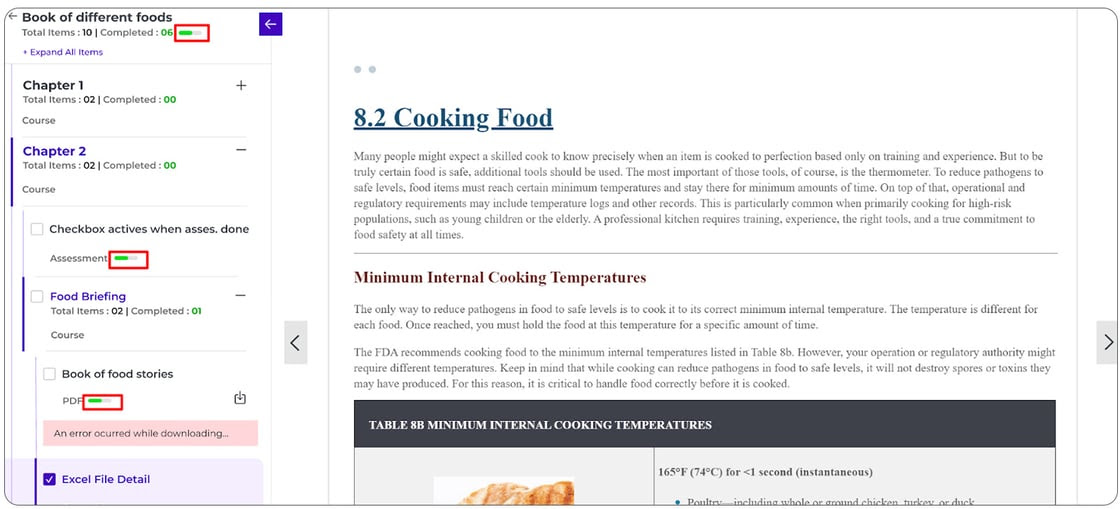
- You can now see overall course progress at a glance through a progress bar at the top.
- Each module and lesson shows how much has been completed vs. total items.
- Progress updates automatically for supported content like videos, assessments, and audio.
Easy Completion Tracking
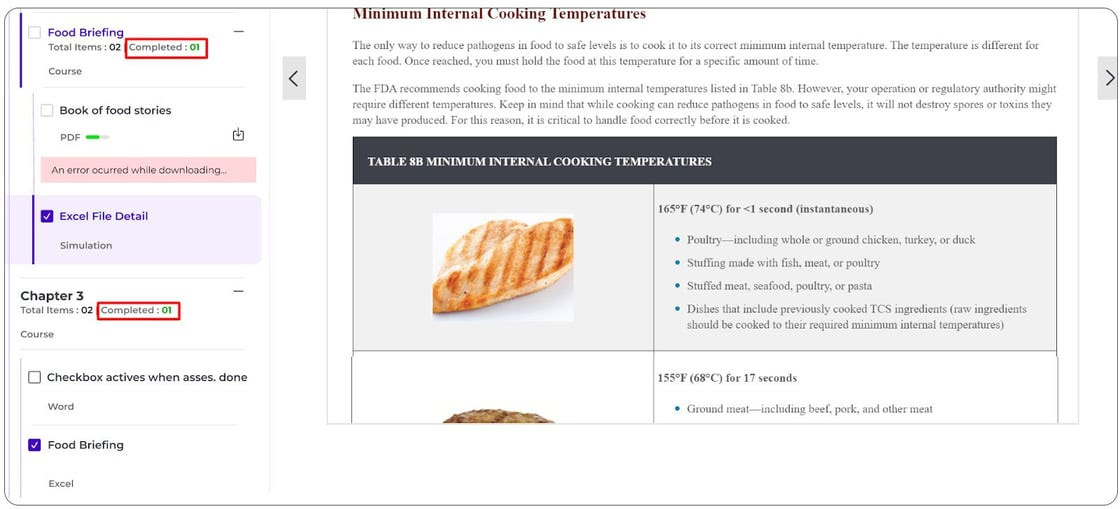
- For certain content types, items will be automatically marked as completed once the learner finishes them, and they cannot be undone.
- For others, learners can manually mark items as completed using a checkbox.
- When all items inside a section are completed, the parent section is automatically marked as complete.
Better Visibility of Content
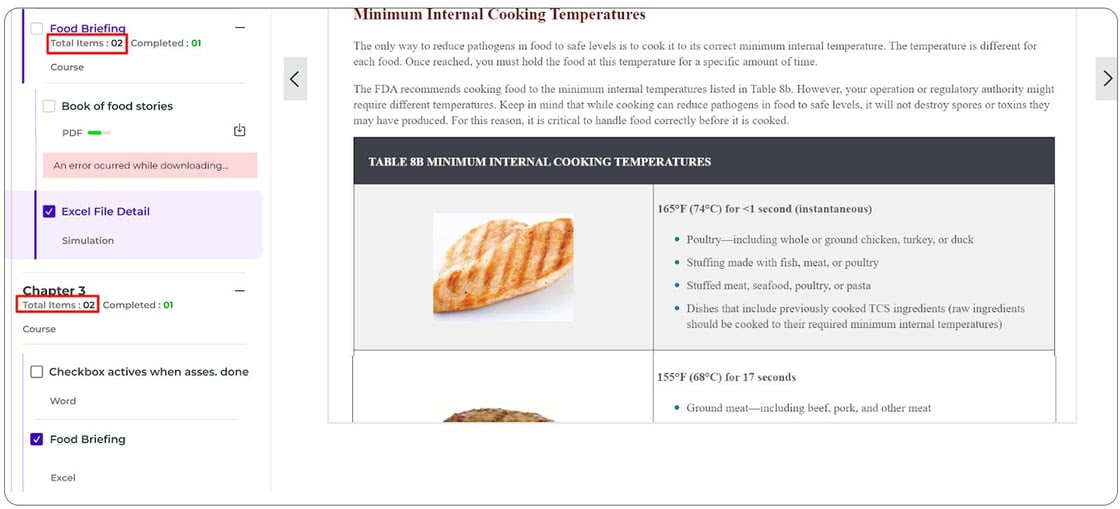
- You can now view the number of items available in each module and lesson.
- This helps learners clearly understand how much content is included in a course.
Improved Navigation Experience
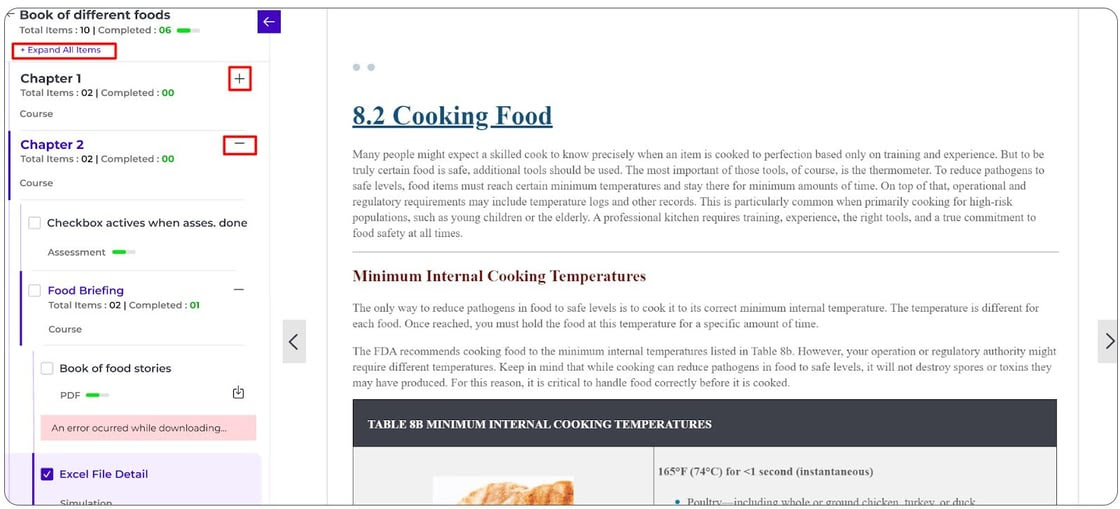
- The TOC is now clean, structured, and easy to use.
- Sections can be expanded or collapsed individually, or all at once using “Expand All” / “Collapse All”.
- The currently selected item is clearly highlighted for better orientation.
Content types (such as Course, Assessment, Simulation, etc.) are displayed for each item. - You can now hide or show the TOC panel based on your preference.
- The content area automatically adjusts, allowing learners to focus better on the learning material.
Accurate and Real-Time Updates
Once enabled, the AI automatically evaluates student responses according to the selected rubric and generates detailed feedback. However, teachers remain fully in control of the final results.
- Progress is updated in real-time as learners interact with content.
- Visual indicators and tooltips help users understand their progress and actions clearly.
With these updates, you can:
- Provide learners with better visibility into their progress
- Offer a more structured and user-friendly learning experience
- Help users navigate courses with ease and clarity
Note: This feature is now available in the new UI/UX. To enable the enhanced course player experience on your platform, please reach out to the MagicBox support team.
